Questions about Octopods?Schedule a call
 Instagram Integration
Manage Instagram DMs & comments from HubSpot

Instagram → HubSpot
JD
AS
MK
MT
Millions of DMs synced to HubSpot every month
Is Instagram disconnected from your CRM?
- Instagram DMs and comments live outside HubSpot
- Story replies and post shares aren't tracked or assigned
- Teams can't see conversation history or customer context
- Leads from Instagram never make it into the HubSpot pipeline
Bring Instagram into HubSpot with Octopods
Octopods connects Instagram to HubSpot in just a few steps.
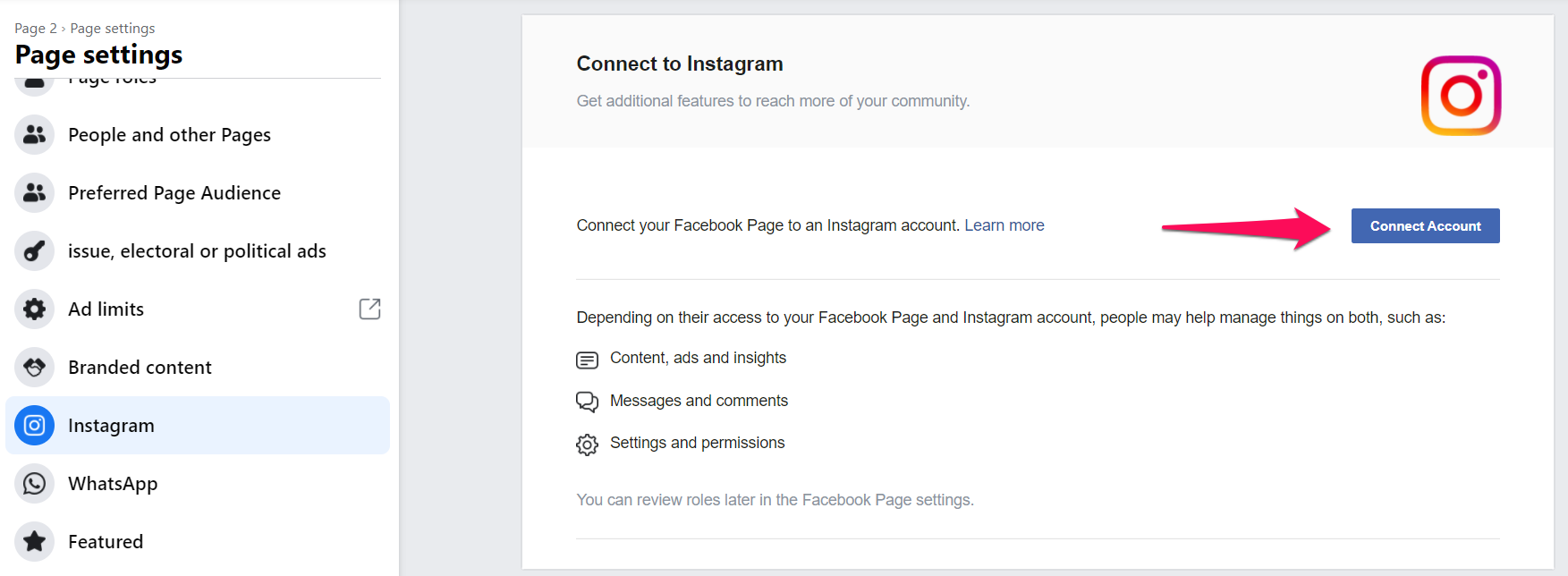
Why use Octopods for Instagram + HubSpot?
Native HubSpot inbox experience
- Instagram DMs & comments appear as HubSpot conversations
- Reply with text, media, attachments & more
- Keep the full conversation thread inside your HubSpot inbox
Track Instagram messages in CRM
- Instagram conversations are logged in HubSpot & connected to customer context
- Teams can follow conversations over time
- Instagram is no longer a blind spot in the CRM
Multiple accounts, one HubSpot workspace
- Connect multiple Instagram Business Accounts
- Route each account to the correct HubSpot Inbox
- Team works from HubSpot. No extra logins or tools to manage
Instagram DM
@fashion_lover
Open
Hi! I saw your story about the new collection. Is this available in blue?
You
Yes! We have it in blue. I'll send you the link right now.
Seen 2:15 PM
Story reply
CS
Synced to HubSpotWho this integration is for
- Teams using HubSpot to manage customer conversations
- Businesses receiving 1-to-1 Instagram DMs from customers
- Support, sales, or growth teams handling inquiries on Instagram
- Companies that want Instagram conversations tracked in the CRM
What this integration is not
- Not a social media management or publishing tool
- Not for scheduling or posting Instagram content
- Not bulk or campaign-based Instagram messaging
- Not a replacement for HubSpot
How teams use the Instagram HubSpot integration
Lead Capture
Turn Instagram DMs and story replies into tracked HubSpot conversations for sales follow-up
Customer Support
Handle product questions, complaints, and follow-ups from Instagram directly in HubSpot
Campaign Engagement
Track replies to Instagram stories and post shares to understand campaign impact
Brand Management
Manage high-volume Instagram messages collaboratively and keep responses consistent
Frequently asked questions
Common questions about the Instagram HubSpot Integration
Yes. Instagram uses the same Omnichannel channel rates as our other included channels, with no separate Instagram rate. Each connected Instagram account counts toward your channel quantity. See our pricing page for plans and included messaging allowances.
Yes. Octopods syncs Instagram DMs, including story replies and post shares, and comments directly into your HubSpot Inbox or Help Desk.
Yes. Instagram messages are saved as HubSpot conversations, making them searchable and trackable inside your CRM.
Yes. You can reply to Instagram DMs directly from HubSpot, and Octopods syncs your replies back to Instagram in real time.
Yes. Octopods allows you to connect multiple Instagram Business Accounts to one or more HubSpot Inboxes.
No. Installing the integration automatically creates your Octopods account using your HubSpot email.
Ready to integrate Instagram with HubSpot?
Connect your Instagram Business Accounts & manage conversations directly inside HubSpot
Available in the HubSpot App Marketplace