 Slack Integration
Reply to Slack messages from HubSpot

Slack → HubSpot
Millions of Slack messages synced monthly
Does this sound familiar?
You're talking to customers on Slack, but managing support in HubSpot
- Messages get buried in Slack threads
- No contact history or conversation syncing
- No reporting, or ownership visibility
- Valuable customer context lives outside HubSpot
Bring Slack conversations into HubSpot
Octopods turns every Slack thread into a conversation inside your HubSpot inbox
Connect
Link your Slack workspace to your HubSpot inbox in a few clicks
Sync
Customer Slack messages, including threads & attachments, appear directly in the HubSpot inbox
Reply
Agents can reply from Slack or HubSpot. Octopods syncs conversations both ways in real time.
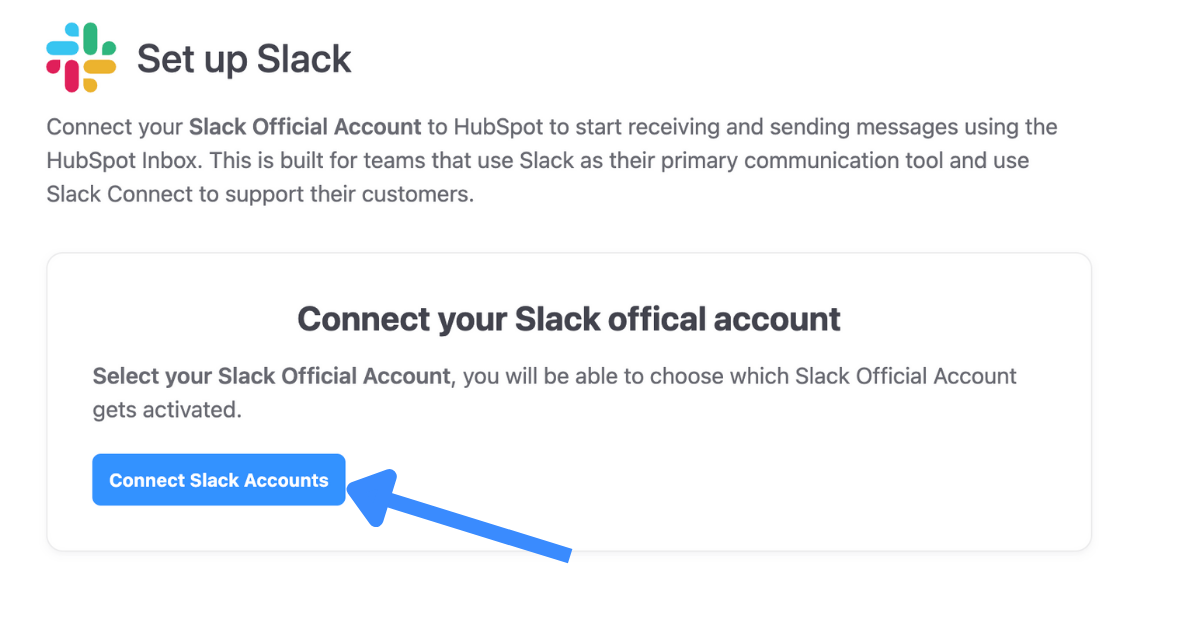
1. Connect
Link your Slack workspace to a HubSpot inbox with Octopods
Why teams connect Slack to HubSpot with Octopods
Slack conversations in HubSpot
- Every customer Slack thread becomes a HubSpot conversation
- Messages & attachments stay tied to the same thread
- Conversations link to HubSpot Contacts and timelines
- No manual forwarding or copy-pasting
Two-way sync between tools
- Reply from the HubSpot inbox or Slack
- Two-way sync keeps threads perfectly aligned
- Internal notes & reassignment stay in HubSpot
- Customers continue in the same Slack thread
Track Slack conversations in HubSpot
- Apply HubSpot workflows & reporting to Slack conversations
- Assign ownership & hand off chats in HubSpot
- Trigger SLAs & automations with HubSpot workflows
- Include Slack in Service Hub reporting
Who this integration is for
- B2B companies with customer-facing Slack channels
- Teams using HubSpot Service Hub as their customer service platform
- Companies that want Slack messages tracked, owned & reported in HubSpot
What this integration is not
- Not a Slack-native helpdesk
- Not internal IT or employee support
- Not a replacement for HubSpot
How teams use the Slack HubSpot integration
Perfect for communities, shared Slack channels, customer workspaces, and support-led growth teams
Customer support
Handle customer questions from Slack threads in the HubSpot with clear ownership & full conversation history
Account-based communication
Track shared Slack channels with customers in HubSpot. Conversations stay linked to the right contacts and accounts over time
Issue Triage & Escalation
Track incoming Slack issues with HubSpot's ticketing and automation tools for proper escalation
Frequently asked questions
Common questions about the Slack HubSpot Integration
Ready to bring Slack to your HubSpot inbox?
No separate login required. Install from HubSpot & start syncing messages immediately
Available in the HubSpot App Marketplace